Dashboard
Last updated: December 5, 2025
The Dashboard in StoreHero provides a complete view of your business performance, including sales, marketing, and customer profitability metrics. You can use it to quickly identify trends, track your key KPIs, and understand what’s working versus what needs attention.
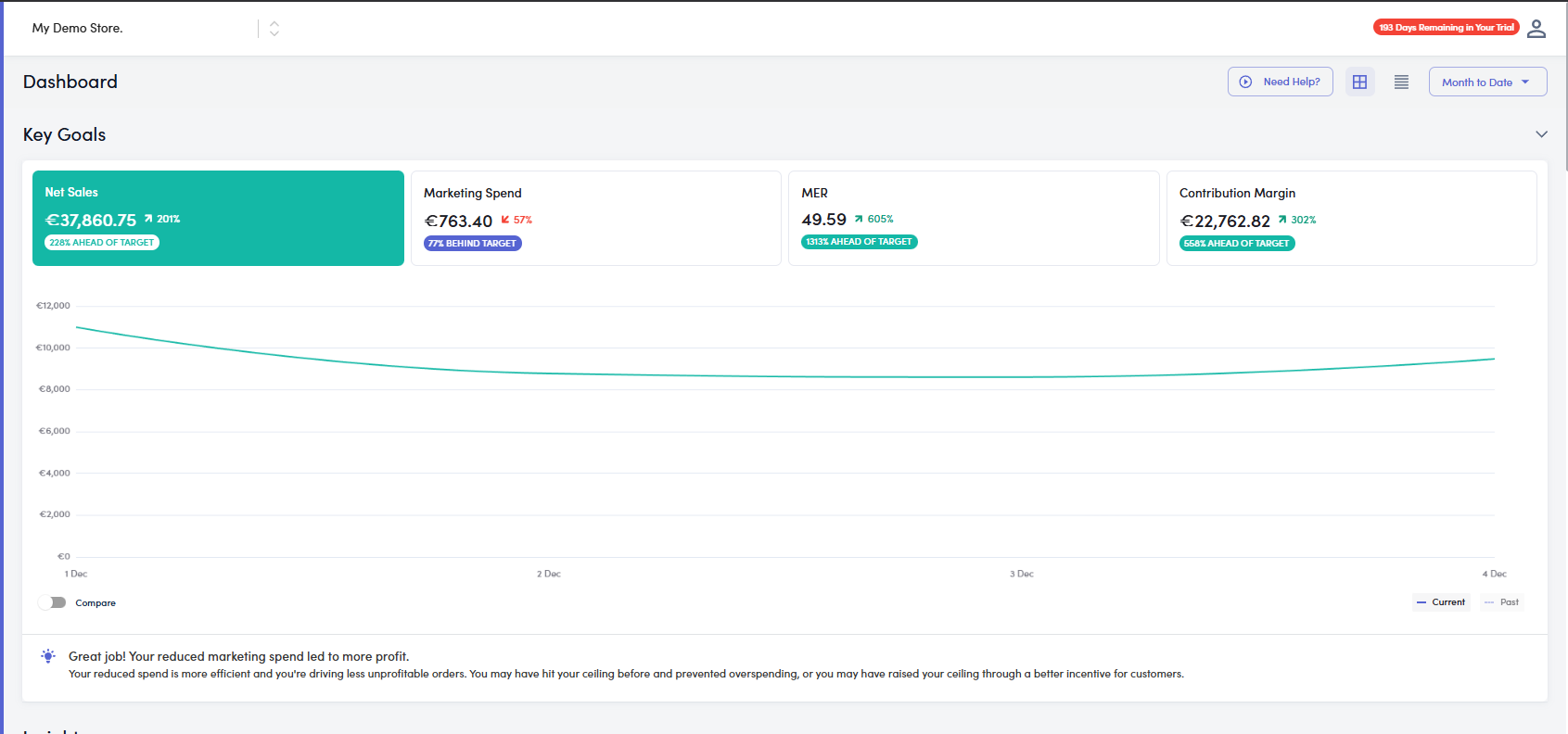
The main dashboard interface showing overall performance and key results for the selected date range.
Header Filters: Choose your store, date range, and comparison period.
Key Goals Section: Displays high-level business metrics such as Revenue, Ad Spend, MER, and Contribution Margin.
Performance Graph: Shows trends over time, helping visualize how sales or profit metrics change daily.
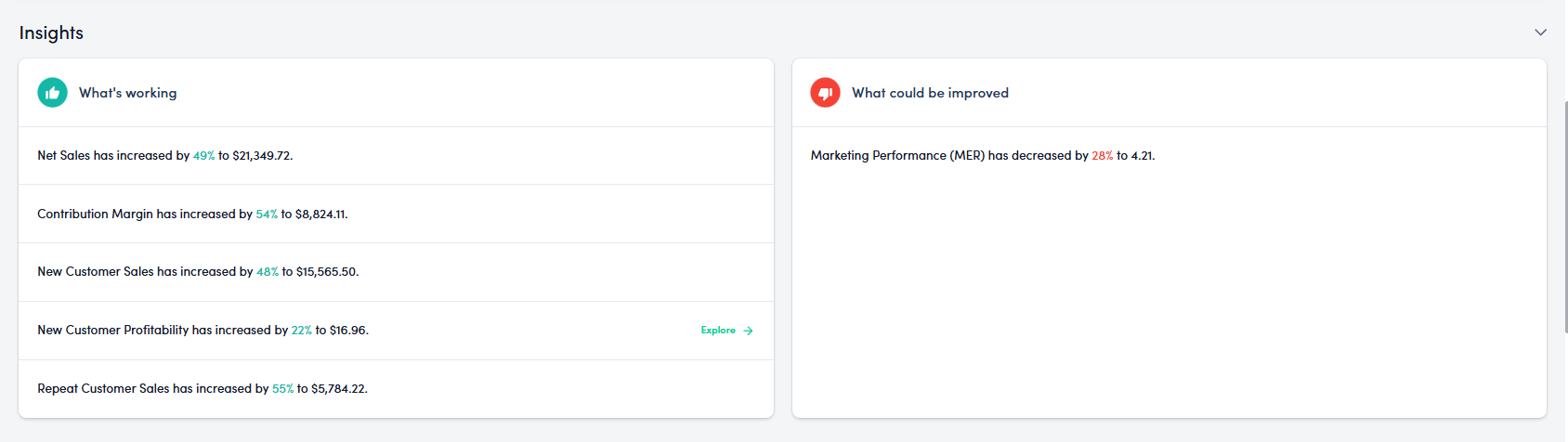
This section gives a quick summary of your store’s performance:
What’s Working: Highlights metrics that have improved (e.g., Net Sales, Contribution Margin).
What Could Be Improved: Identifies metrics that have declined (e.g., MER, CAC).
These insights help you prioritize actions to maintain or improve performance.
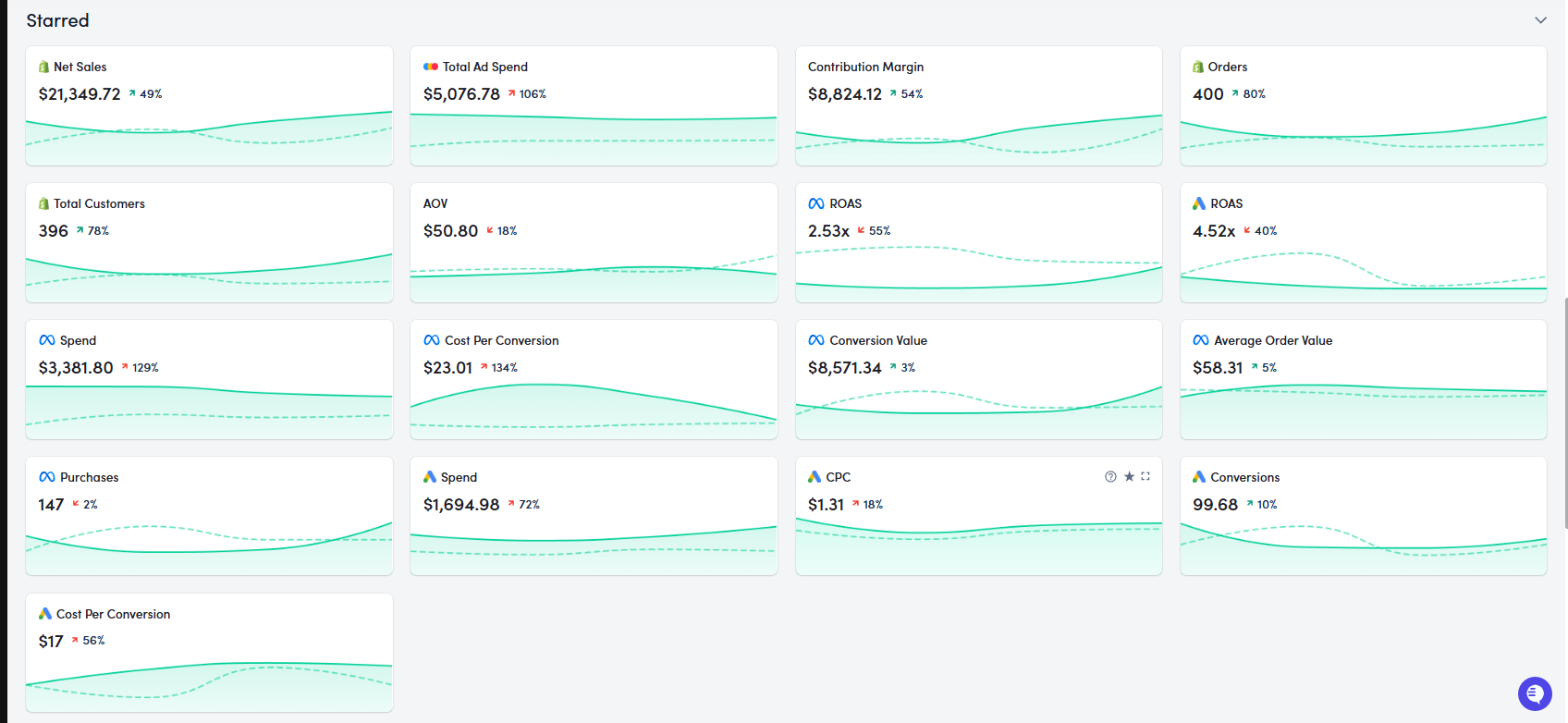
This section displays the metrics you’ve chosen to star (pin) for quick access.
It includes KPIs such as:
Net Sales
Total Segment Revenue
Contribution Margin
Orders, AOV, ROAS, and CAC
Each tile shows a metric’s total value, trend line, and comparison to the previous period.
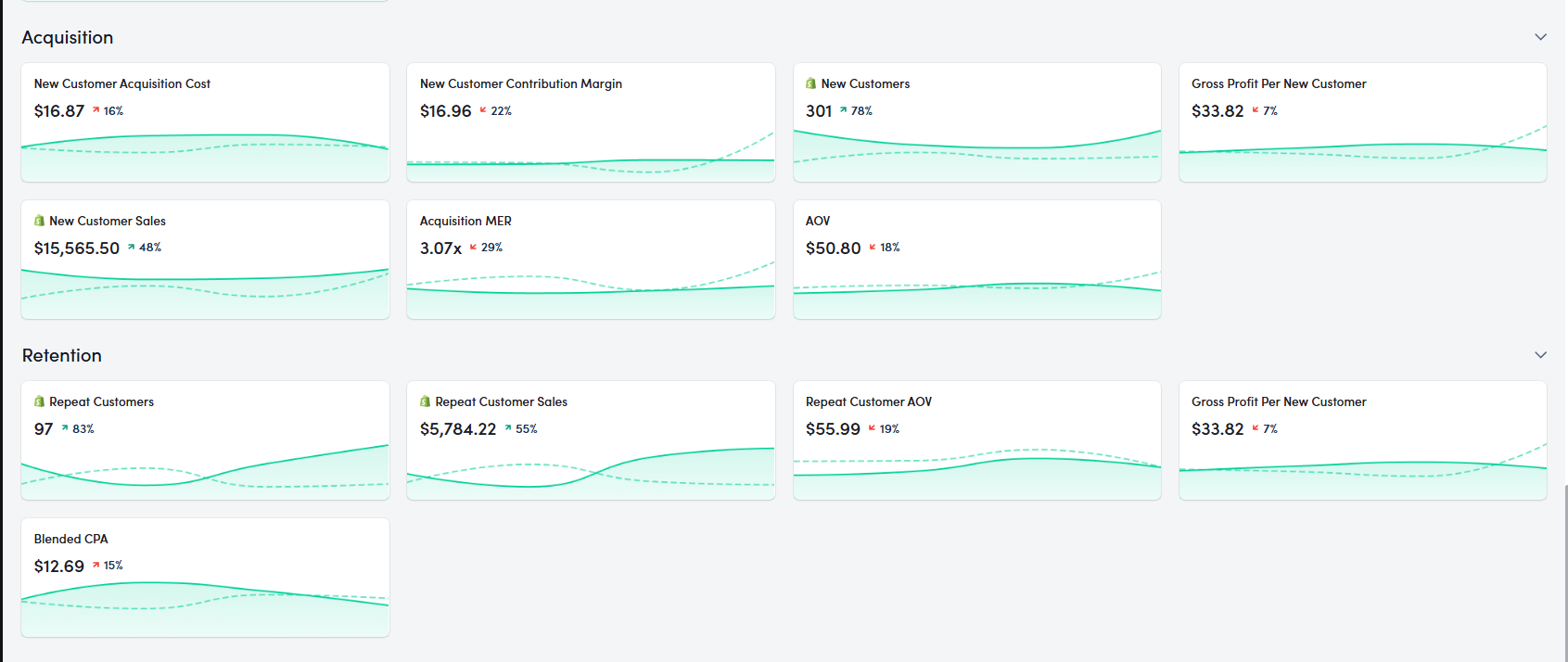
These two segments break down your performance by customer type:
Acquisition: Tracks how efficiently you’re bringing in new customers through metrics like New Customer Sales, Acquisition MER, and New Customer CAC.
Retention: Focuses on your existing customers, showing Repeat Customer Sales, Repeat AOV, and Blended CPA.
This split helps evaluate how much growth is driven by new versus returning customers.
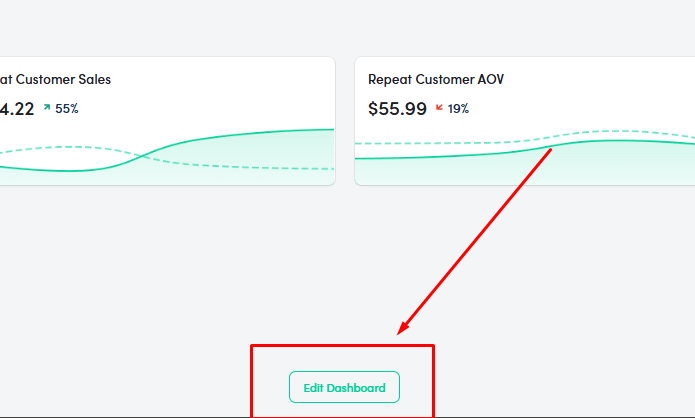
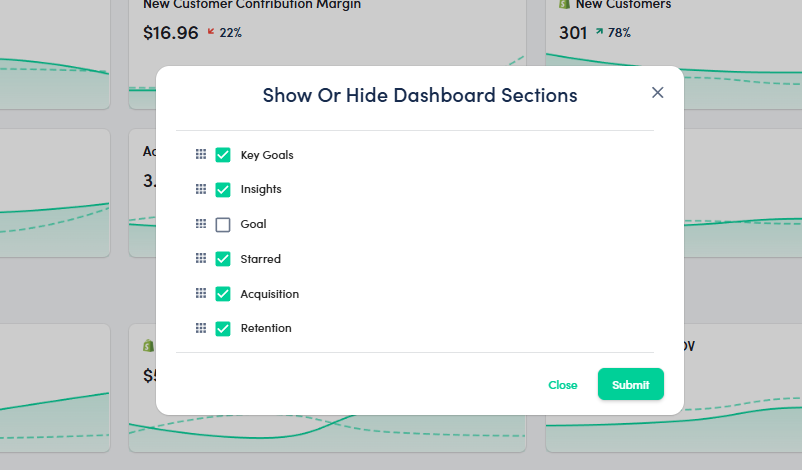
You can personalize your dashboard layout using the Edit Dashboard option.
Click Edit Dashboard at the bottom of the page.
A popup titled “Show or Hide Dashboard Sections” appears.
From here, you can toggle on/off the following sections:
Key Goals
Insights
Goal
Starred
Acquisition
Retention
This customization allows you to focus on the most relevant data for your business strategy.