Adding Additional Marketing Costs
Last updated: February 2, 2026
While StoreHero automatically tracks your advertising spend from connected platforms, many marketing expenses fall outside of traditional ad channels. The Additional Marketing Costs feature lets you log these expenses to get a complete picture of your marketing efficiency.
Navigate to Settings > Order Costs > Marketing Costs to begin tracking these expenses.
What Counts as a Marketing Cost?
Any expense related to customer acquisition or retention that isn't captured through your connected ad platforms should be added here.
Common Examples
Email & SMS Marketing:
Klaviyo subscription
Mailchimp fees
Other email platform costs
Agency & Freelancer Fees:
Marketing agency retainers
Freelance copywriters
Graphic designers
Social media managers
Influencer & Content:
Influencer collaboration fees
UGC (user-generated content) creator payments
Brand ambassador programs
Content creator retainers
Sponsored Content & PR:
Sponsored blog posts
Podcast sponsorships
PR agency fees
Press release distribution
How to Add a Marketing Cost Manualy
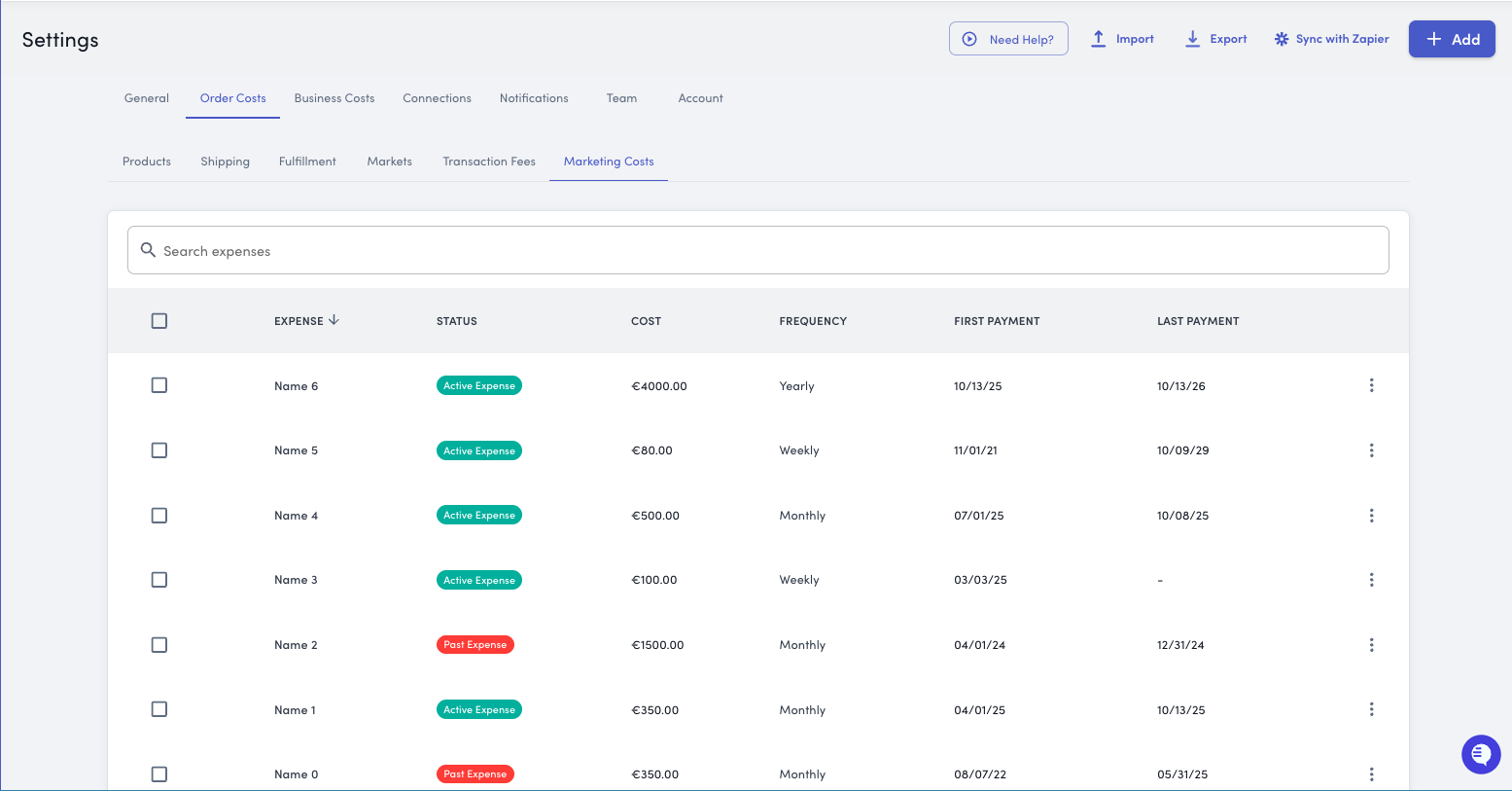
Step 1: Navigate to Marketing Costs
You'll see a list of previously added marketing costs, including their status and recurrence
Step 2: Add a New Cost
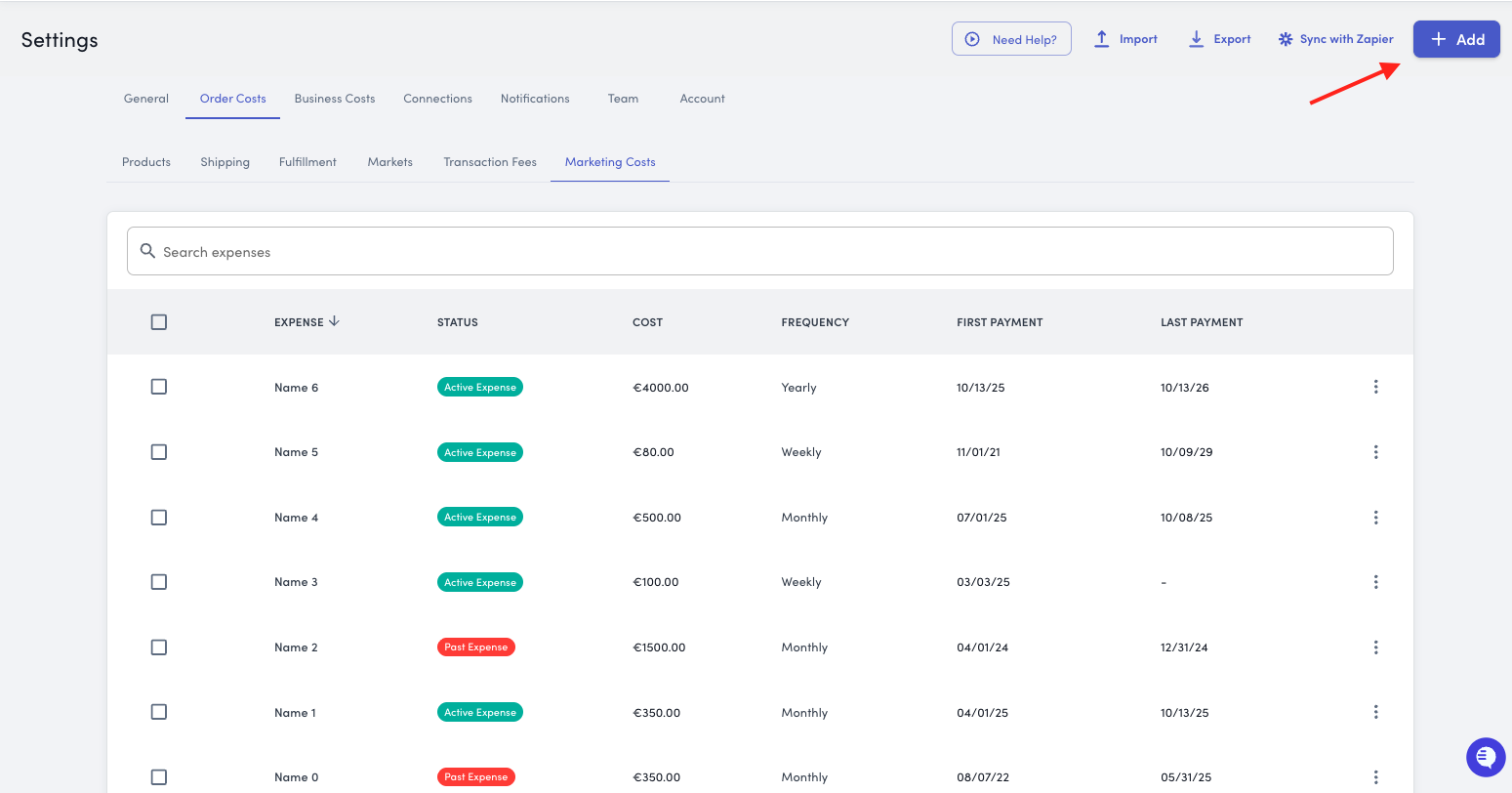
Click the Add button in the top right corner
A modal will appear with the following fields
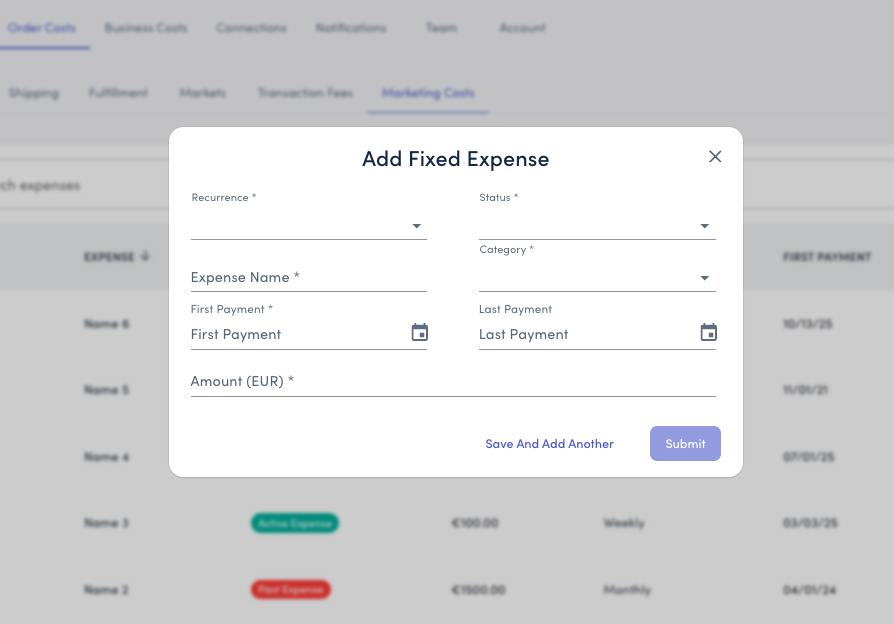
Step 3: Fill Out the Cost Details
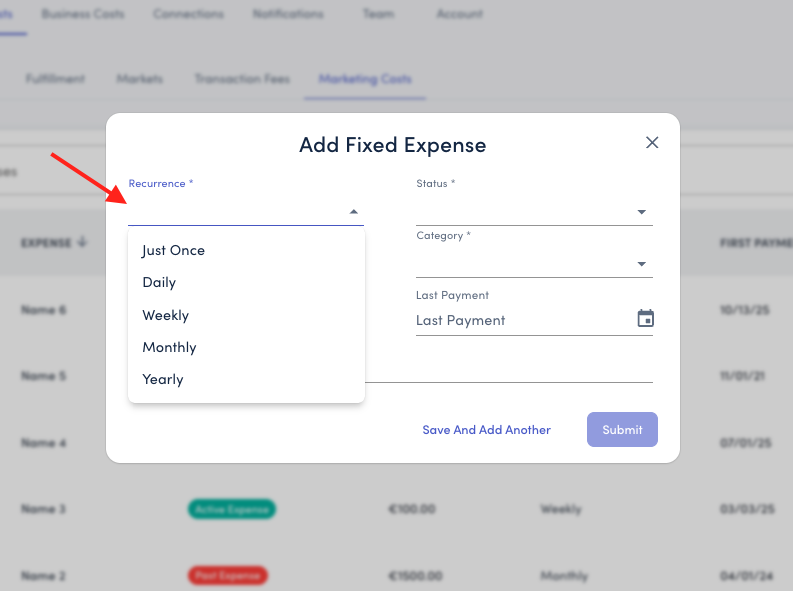
Recurrence: Choose how often this expense occurs:
One-time (for campaign-specific expenses)
Monthly (most subscriptions and retainers)
Quarterly
Yearly (annual subscriptions)
Status:
Active - Currently incurring this cost
Past Expense - Past expense or temporarily paused
Active Expense with End Date - Currently incurring this cost with a fixed end date
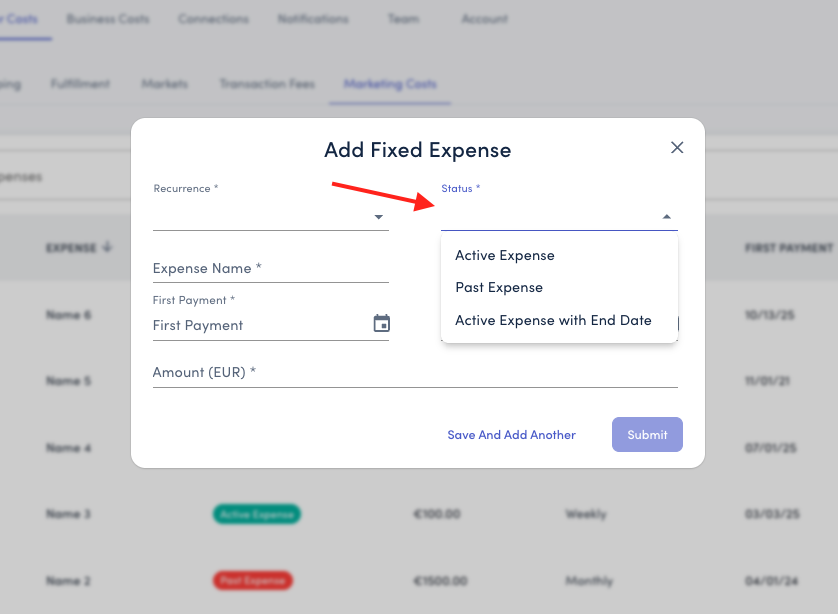
Use inactive status for seasonal campaigns or expired contracts while keeping the historical data.
Expense Name: Add a clear, descriptive title that anyone on your team will understand.
Example:
"Klaviyo Email Platform"
"Social Media Agency Retainer"
"Q4 Influencer Campaign"
"UGC Software Subscription"
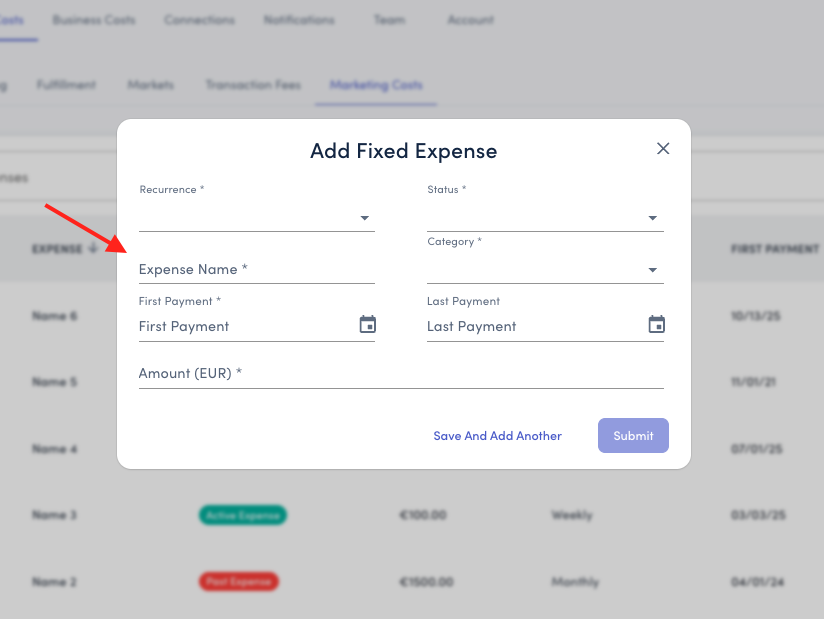
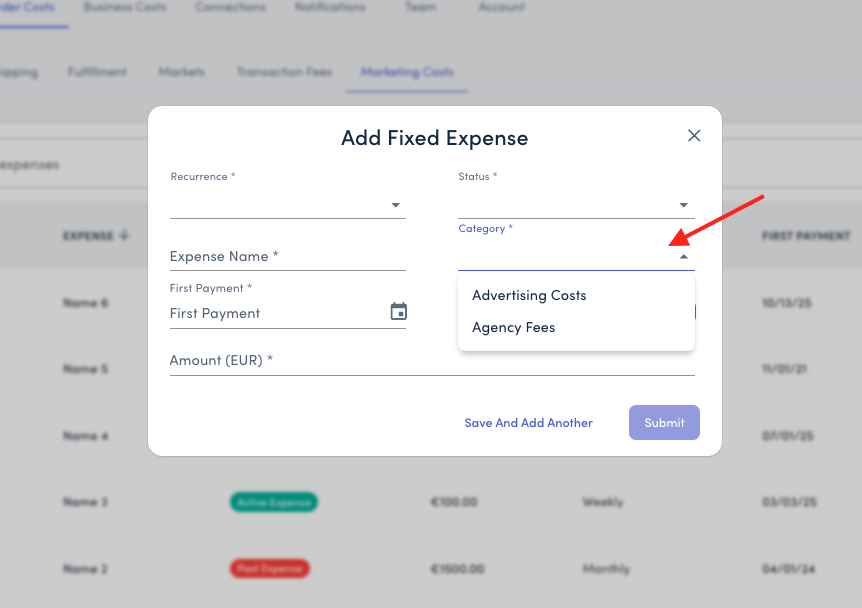
Category: Choose from predefined categories to organize your expenses:
Advertising Costs
Agency Fees
Amount: Enter the cost value in your store's currency. This amount should match your selected recurrence.
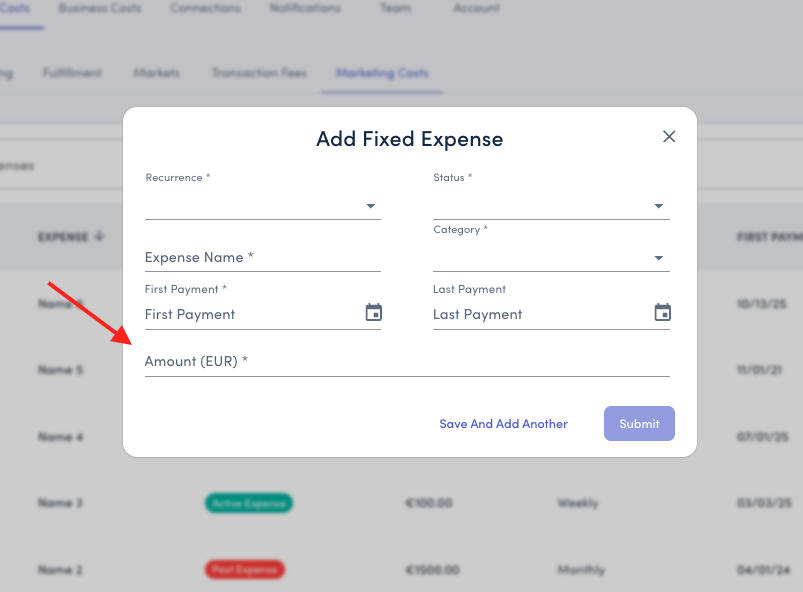
Examples:
Monthly Klaviyo subscription: €150 (select "Monthly")
Annual SEO tool: €1,200 (select "Yearly")
One-time influencer payment: €500 (select "One-time")
First Payment: Select the date when this expense started or will start. This ensures costs are allocated to the correct time period.
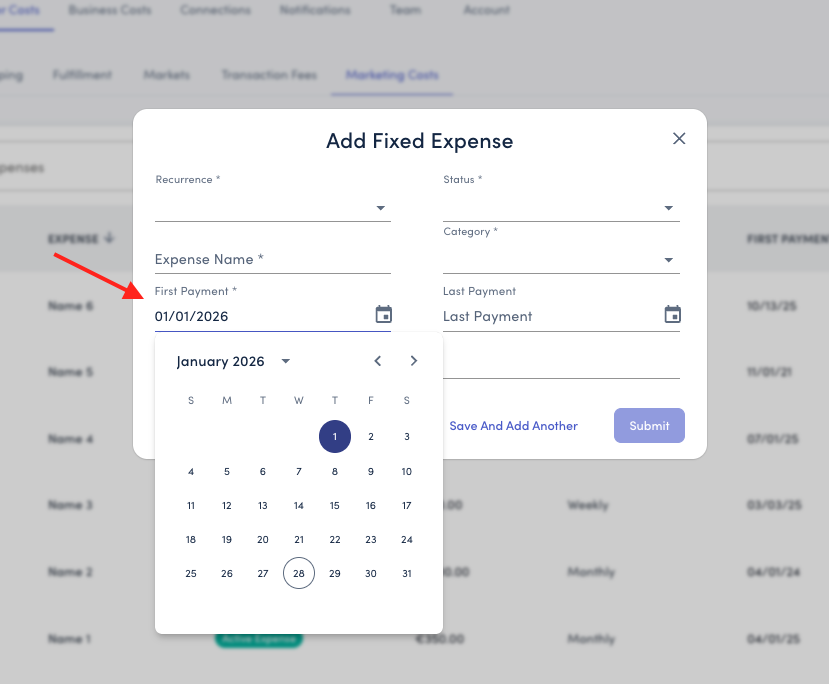
Last Payment (Optional): Leave the Last Payment field blank if your cost recurs monthly (ie.e recurring monthly agency fees). Only add this if the expense has a set end date
Step 4: Save Your Entry
Click Submit to save and close
Or click Save and Add Another to quickly add multiple expenses
How To Add Marketing Costs In Bulk
If you have a number of costs to add, or are adding historical spend, we recommend using the CSV import.
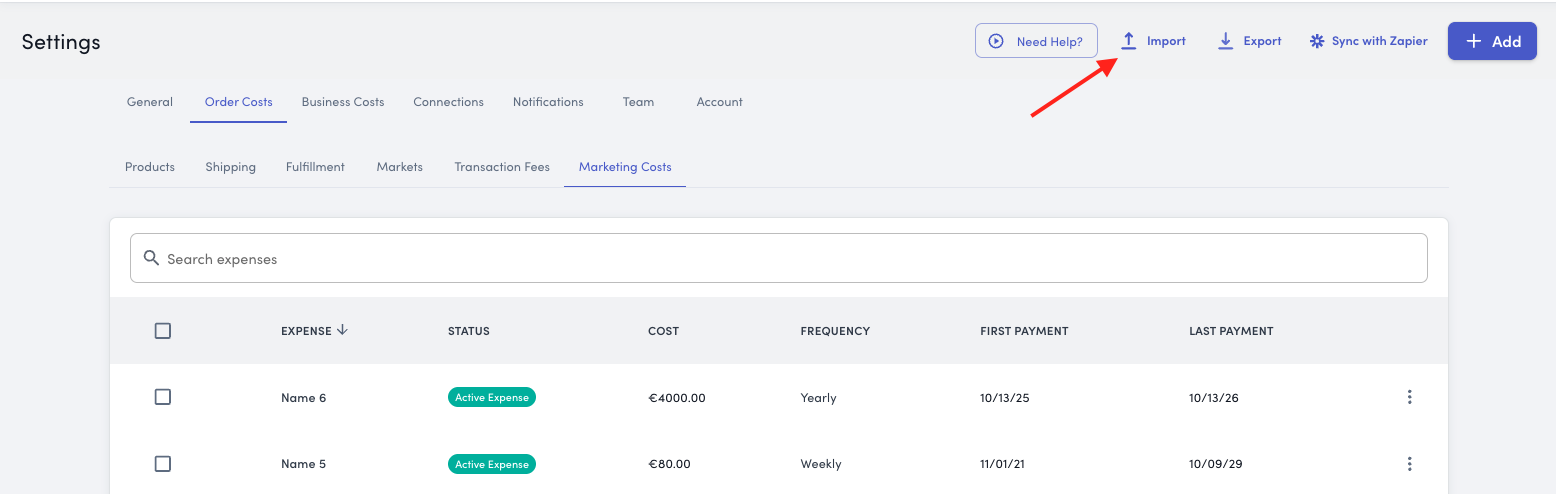
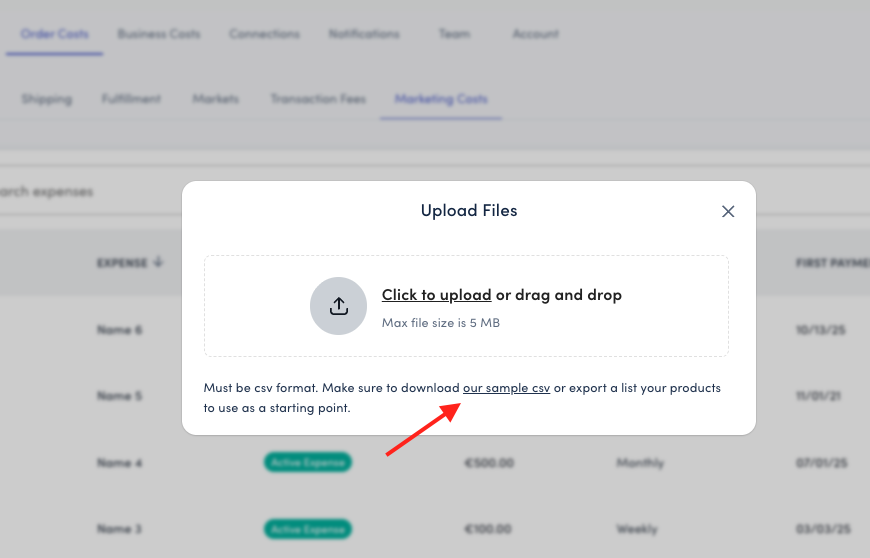
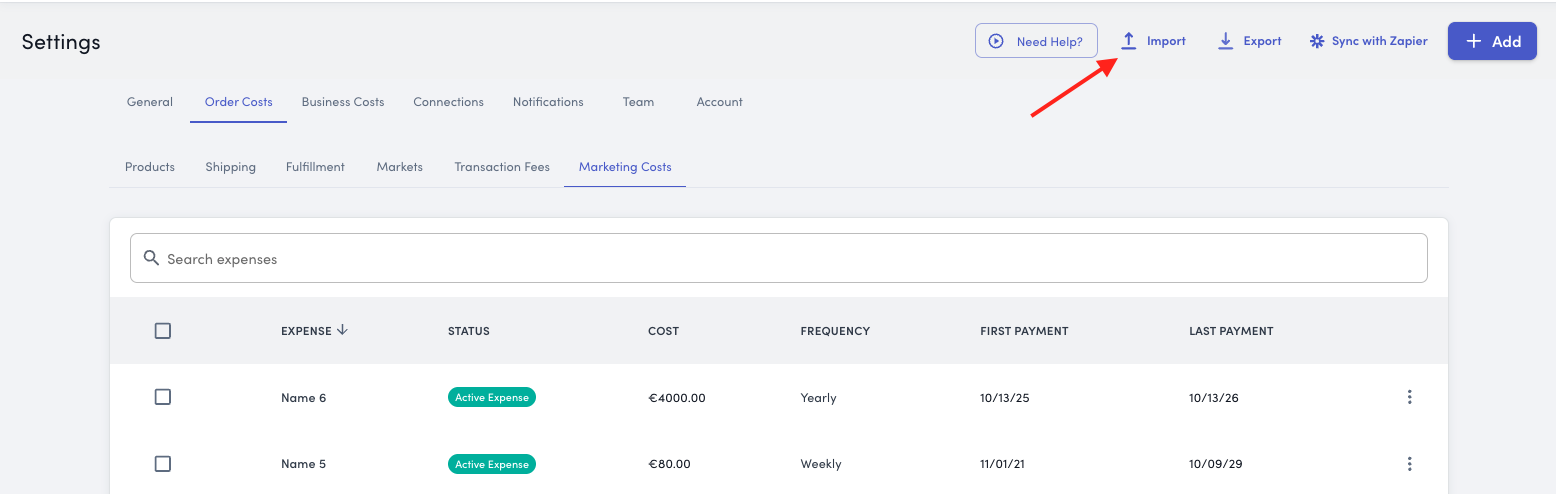
Select Import from the top right corner and export a copy of the CSV template
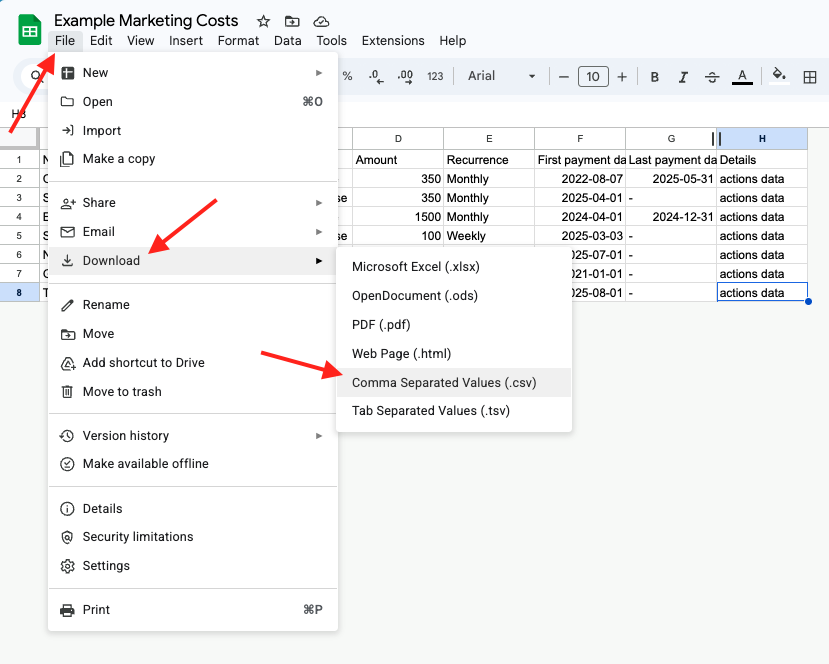
Open the CSV in either Excel or Google Sheets
Add your expenses ensuring the Category, Status, Amount, Recurrence, and Dates are accurate
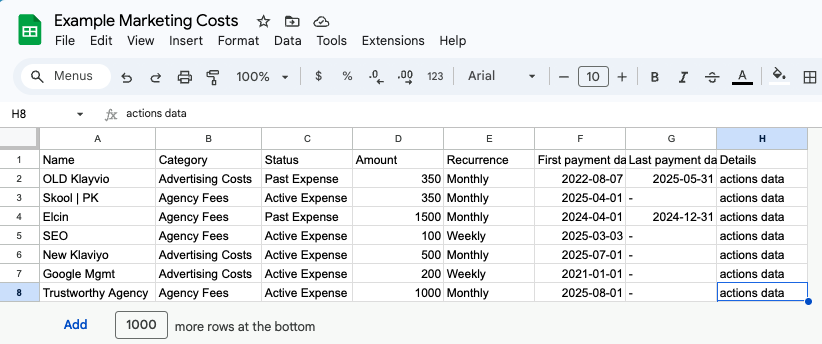
Export the file as a CSV
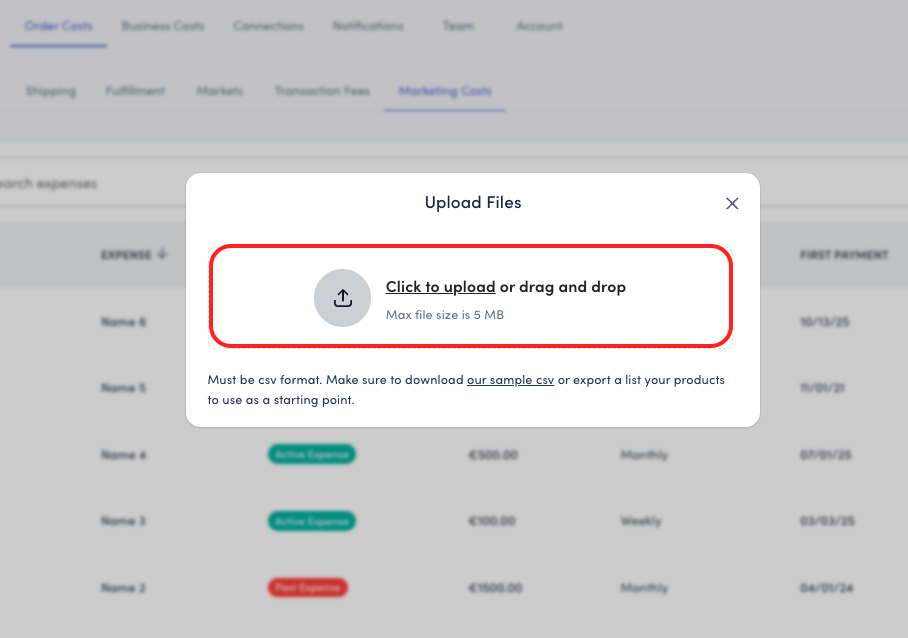
Return to the Settings > Order Costs > Marketing Costs and import your CSV
How To Import Marketing Costs With Zapier
See our How to Connect Zapier guide here!
Note: the example shows how to add shipping costs using Zapier, however, you can use a copy of the marketing sample CSV template and follow the same instructions for mapping the expenses. Zapier will detect when new line items are added and will import them automatically into StoreHero
Great for pulling variable costs from the source like Affiliates, other Ad Platforms, and more! See all Zapier integrations here
Why Adding Additional Marketing Matters
Including all your marketing costs—beyond just ad spend—ensures that StoreHero can:
Calculate True Customer Acquisition Cost (CAC)
Your real CAC includes more than just Facebook and Google Ads. By tracking email platform fees, agency retainers, and influencer costs, you'll see the complete picture of what it costs to acquire each customer.
Example:
Ad spend: €10,000
Klaviyo: €300
Agency fees: €2,000
Influencer campaigns: €1,500
Total marketing costs: €13,800 (38% higher than ad spend alone)
Show Accurate Profit Margins
When you factor in all marketing expenses, your contribution margin and net profit calculations reflect true business performance.
Understand ROI on Non-Advertising Initiatives
Track whether your email marketing, influencer partnerships, or agency relationships are delivering returns worth their cost.
Make Better Profit-First Decisions
With complete marketing cost data, you can confidently answer:
Which marketing channels should we invest more in?
Are we overspending on tools we're underutilizing?
What's our true marketing efficiency ratio (MER)?
Impact on Your Metrics
Adding additional marketing costs affects these key metrics:
Marketing Efficiency Ratio (MER):
Before: Revenue ÷ Ad Spend
After: Revenue ÷ (Ad Spend + Additional Marketing Costs)
Customer Acquisition Cost (CAC):
Before: Ad Spend ÷ New Customers
After: (Ad Spend + Additional Marketing Costs) ÷ New Customers
Contribution Margin:
Now factors in complete marketing expenses for accurate profitability
This gives you a more realistic view of marketing performance and helps prevent underestimating the true cost of growth.
Need Help?
If you have questions about which expenses to track or how to categorize your marketing costs, our support team is here to help. Contact us at support@storehero.ai