Setup The Forecast
Last updated: November 4, 2025
To set up the forecast in StoreHero, you can access the goal wizard through the following steps:
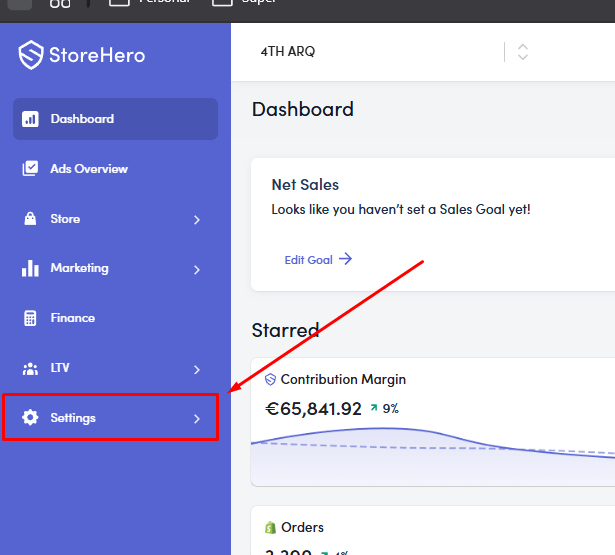
Expand the Settings section in your dashboard.
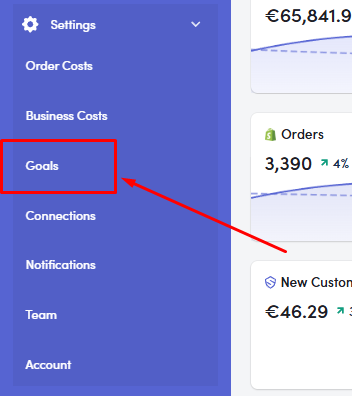
Click on Goals to access the goal wizard.
Once in the Goals section, you can input your monthly sales and advertising spend targets. The platform will then provide forecasts based on your current run rates to help you track whether you're on pace to meet your goals.
If you're having trouble with the setup process or need assistance with entering your forecast data, I'd recommend scheduling a call with the team for a walkthrough, as several customers have found this helpful for getting their forecasting properly configured.