How to exclude wholesale orders from Shopify data using tags
Last updated: November 5, 2025
If you need to exclude wholesale or B2B orders from your Shopify data integration, you can filter them out using order tags.
Setting up order exclusions
To exclude wholesale orders that are tagged in Shopify:
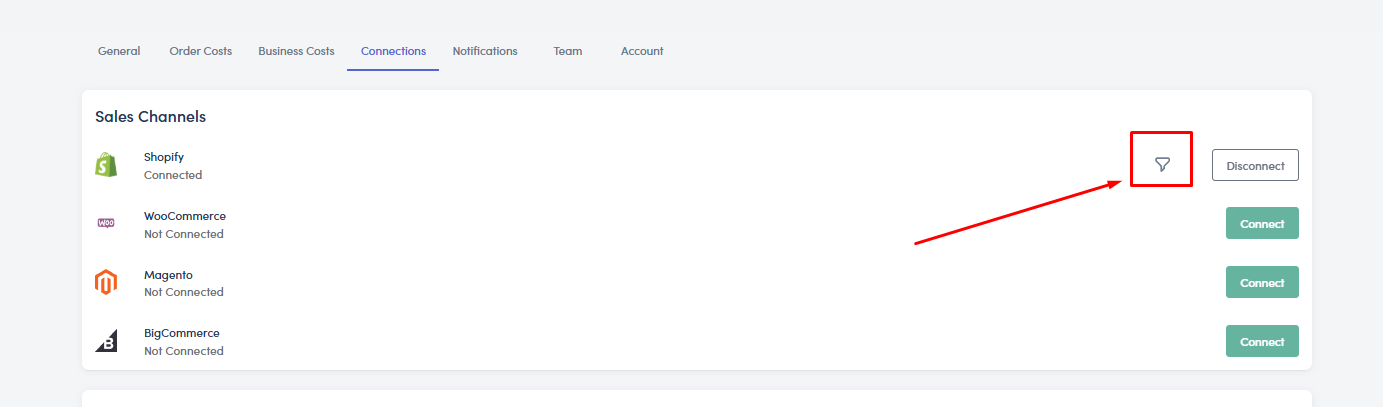
Go to Settings > Connections > Shopify "Filter" Icon.
Identify how your wholesale orders are tagged in Shopify (e.g., "b2b", "wholesale", etc.)
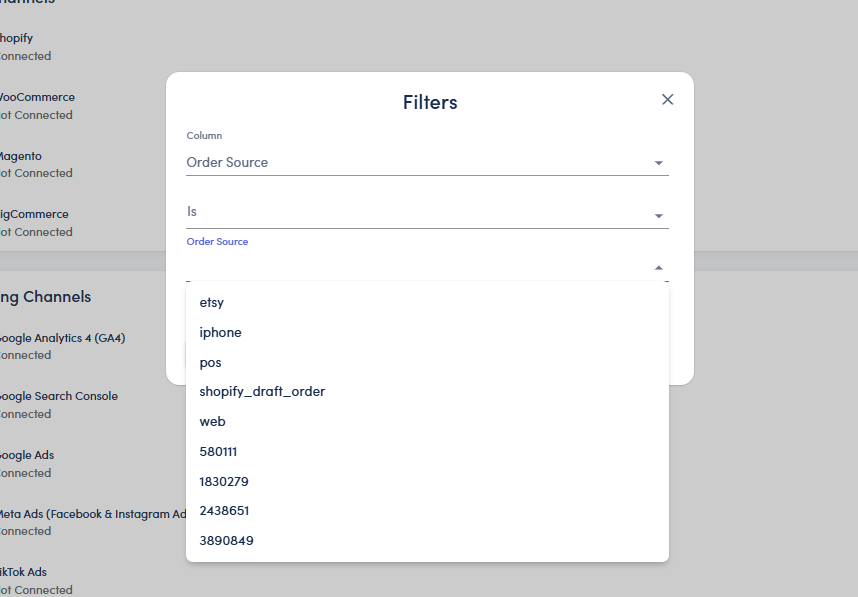
In your integration settings, look for the order exclusion or filtering options
Add the exact tag name that's applied to wholesale orders at the order level in Shopify
Save your settings
Important considerations
Make sure the tag you enter matches exactly how it appears on orders in Shopify. The filtering works at the order level, so the tag must be applied to the entire order, not just individual products.
Once configured correctly, all orders with the specified tag will be automatically filtered out from your data integration, ensuring only retail orders are included in your analytics and reporting.
Verifying the setup
After setting up the exclusion, you can verify it's working by checking that orders with the specified tag no longer appear in your integrated data. The system will show you how many orders have been filtered out based on your tag criteria.