General Settings
Last updated: November 4, 2025
Set your general store details here
Within the StoreHero Settings menu, the General tab is your starting point. It's where you add and modify general store details. While this is typically completed during onboarding, it's flexible to accommodate any updates as your store evolves.
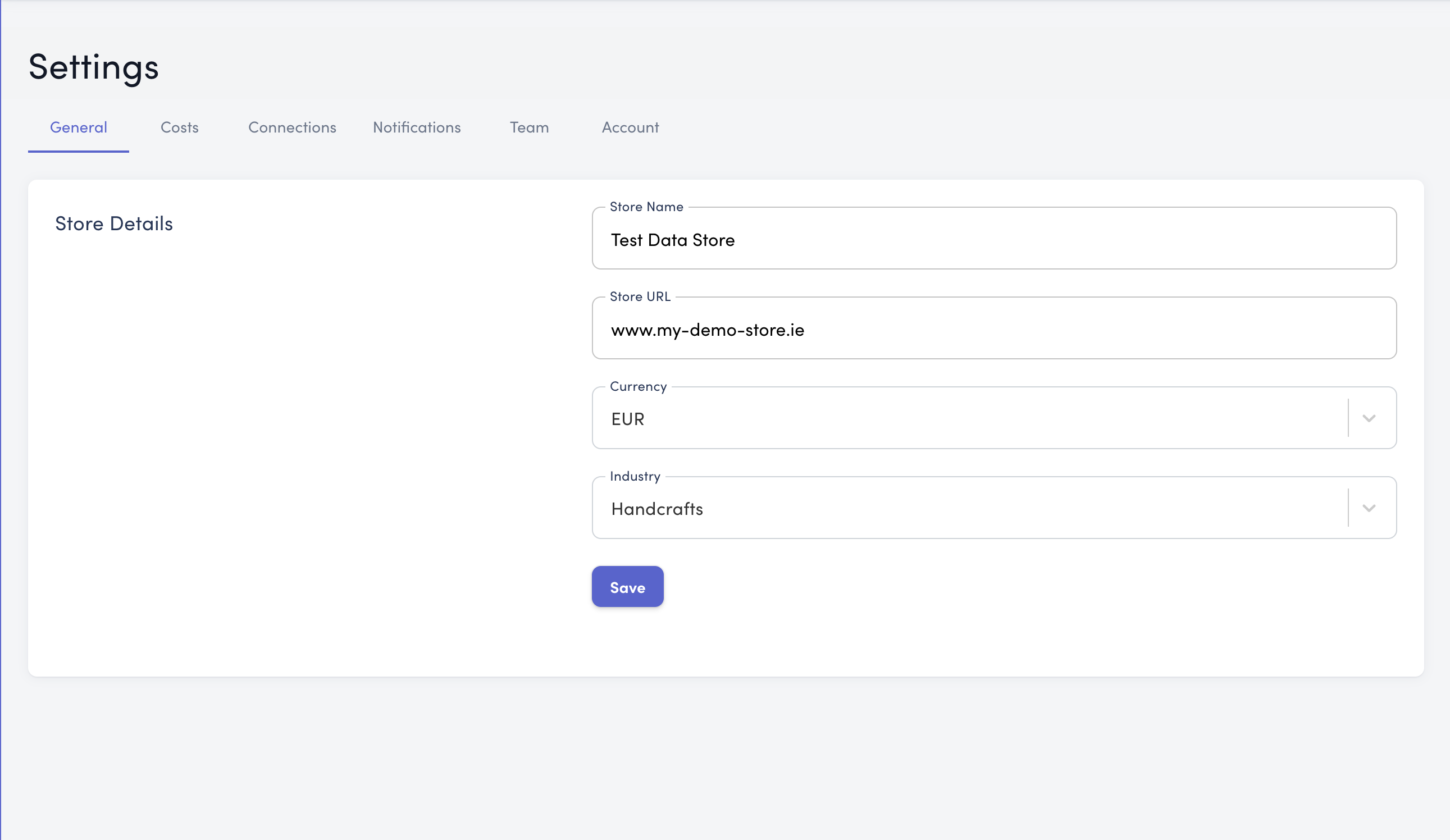
Editable Store Details
Here are the fields you can edit in the General Settings:
Store Name: The official name of your store.
Store URL: Your store’s web address.
Currency:
This encompasses a variety of supported currencies. It's essential to align this with the default currency used in your Shopify, WooCommerce, or Magento store. If your currency is not listed, reach out to us via the live chat feature or email support@storehero.ai, and we'll assist you in adding it.
Industry:
Choose the industry that best represents your store. This aids in benchmarking and provides context so you can maximise the benefits of your StoreHero account.
Who Are You:
Clarify your role within the organisation. This doesn’t change the data you see but helps personalise your StoreHero experience, ensuring the insights you receive are as relevant as possible.
Saving Your Settings
Make sure to Save your adjustments before you navigate away from this page to ensure all your changes are applied and retained.