Email Notifications
Last updated: November 4, 2025
Set the frequency and recipients of your email reports.
Managing Your Notification Preferences
The Notifications tab within the StoreHero Settings menu is where you can customise how and when you receive insights into your business's performance. Understanding your data is critical, and how you're informed can make a world of difference.
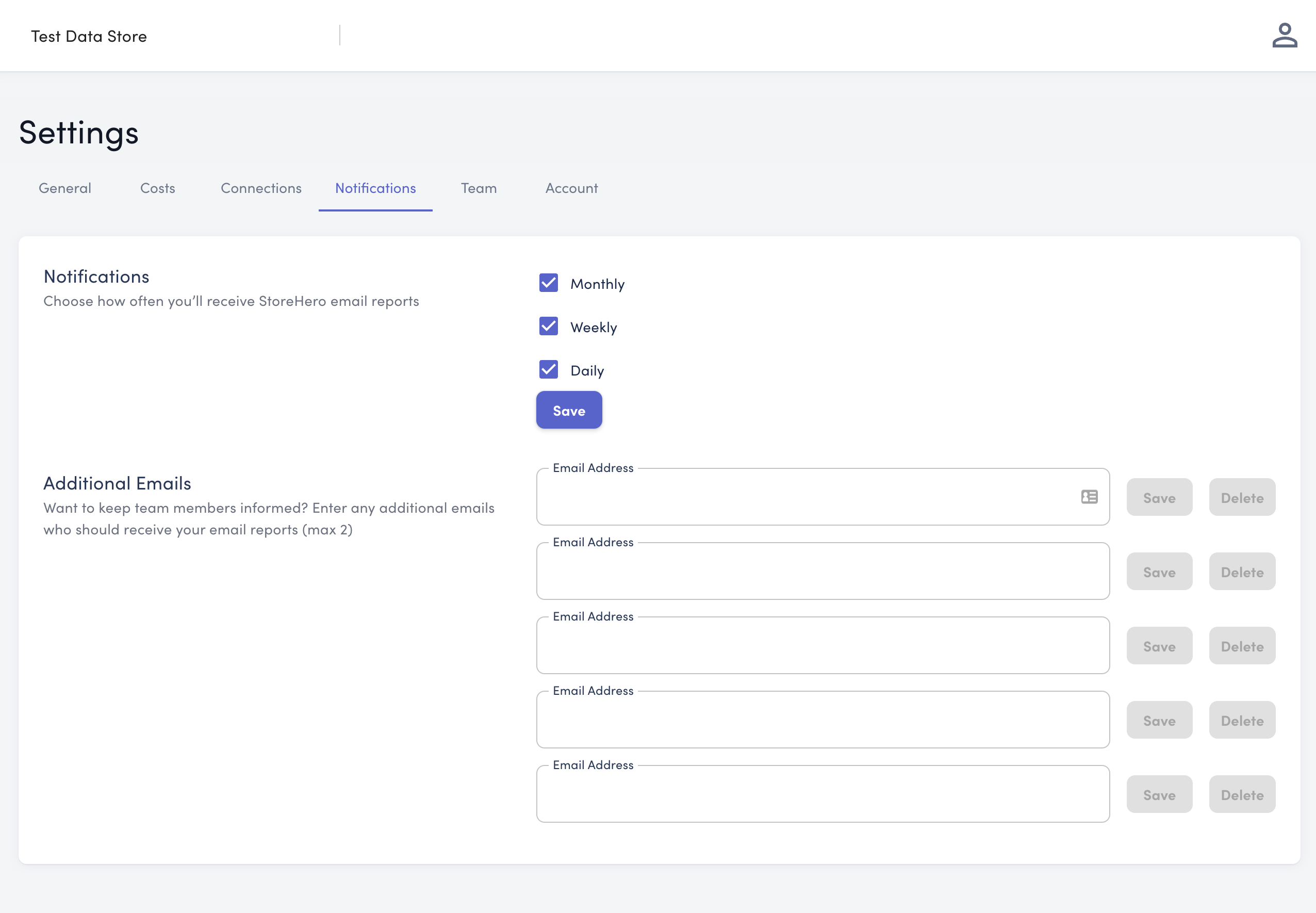
Email Report Settings
Here's how you can set your preferences:
Choose the frequency of your email reports to suit your needs. You can opt for:
Daily reports to keep a close eye on day-to-day operations.
Weekly reports for a summarised view of the week’s achievements.
Monthly reports to track broader trends and monthly goals.
You may select one, two, or all three options, depending on the level of detail and frequency you prefer.
Including Team Members
To keep your team informed:
Enter the email addresses of the team members in the Additional Emails section.
They will receive the same reports based on your chosen frequency.
Please note, added team members will not have full access to the StoreHero account. They will only receive the email reports, keeping them in the loop with the store's performance and goal progression.
Report Content
Each email will provide valuable insights including:
Progression against set business goals.
Scorecards for pinned metrics.
A mini profit and loss report showcasing the key drivers of your gross and net margins, tailored to the chosen frequency.
Pro Tip:  Granting Account Access
If you need to give full StoreHero account access to a new user you can use the Team tab.