Channel-by-Channel Ad Reports – View for Meta, Google, and TikTok
Last updated: November 4, 2025
StoreHero’s Channel Ad Reports provide a consistent way to analyze performance across Meta, Google, and TikTok making it easy to compare results, spot trends, and optimize spend.
Key Sections You'll Find in Every Ad Channel Module
1. Scorecards for KPIs
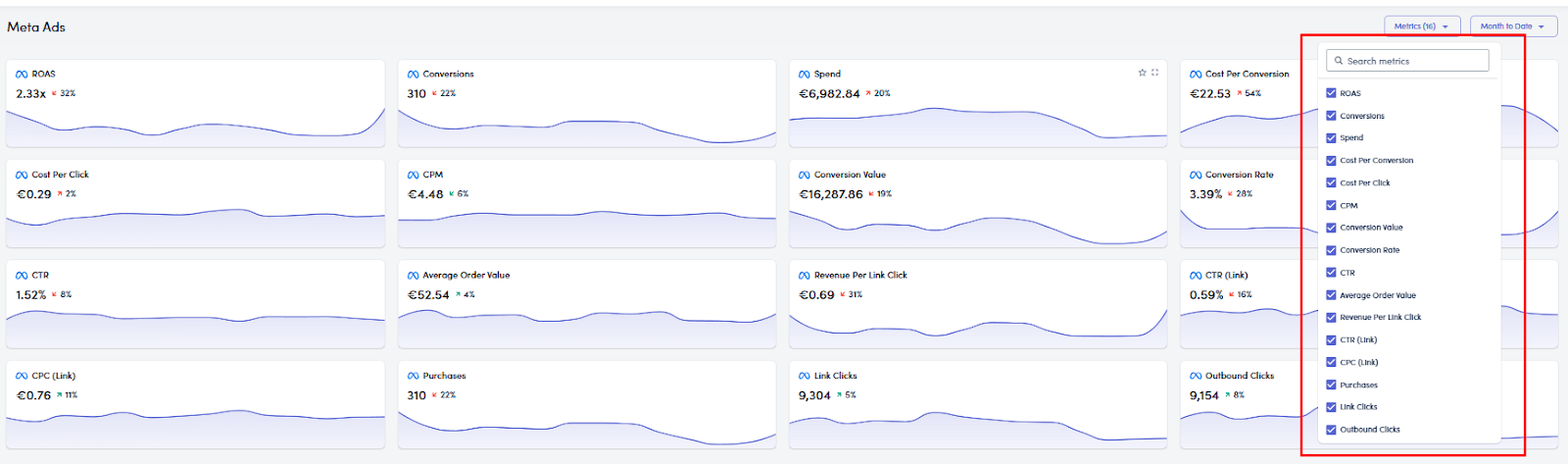
Each channel starts with scorecards displaying key performance indicators such as:
Spend
ROAS
CPA
Conversions
Clicks
You can:
 Star metrics to pin them to your dashboard and email reports
 Expand each metric for a detailed day-by-day chart
2. Custom Metrics & Date Range
Use the dropdown to choose which metrics to view
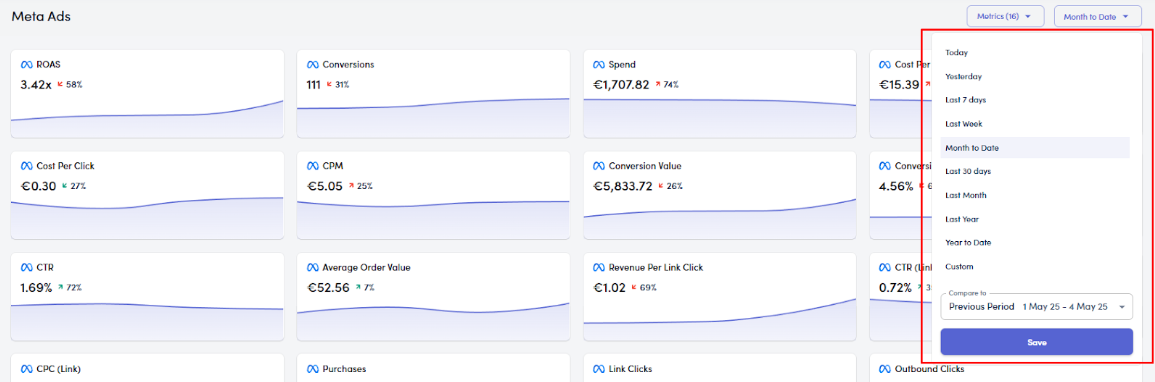
Adjust the date range to analyze recent trends or compare with previous periods
3. Performance Graphs
Each module has a visual chart that shows:
Spend trends
ROAS changes
CPA or Cost-per-conversion patterns
You can compare current performance vs. past periods to spot spikes or dips.
4. “What’s Working and What Could Be Improved”
This section flags:
 Positively changing metrics
 Declining metrics
It also provides suggested actions to optimize low-performing areas or scale high-performers. (This feature will be released soon)
5. Campaign & Ad Group Breakdown
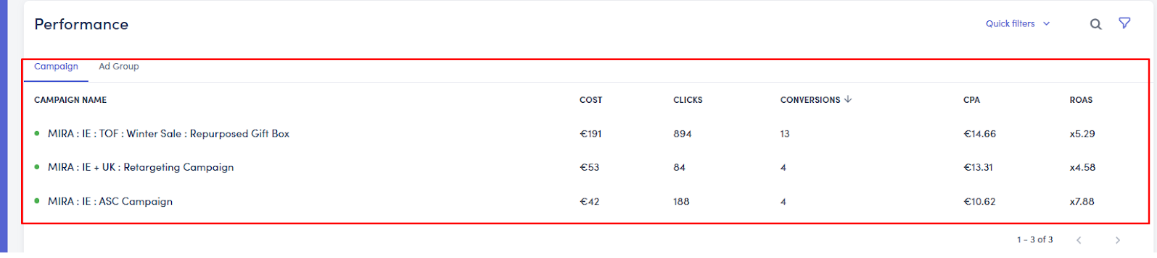
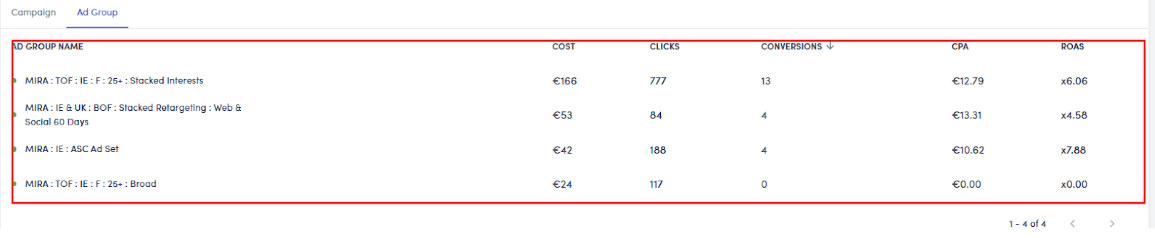
Drill down into performance by:
Campaign
Ad group
(Google only) Keyword or Product
You can apply filters, search by name, and compare segments side by side.
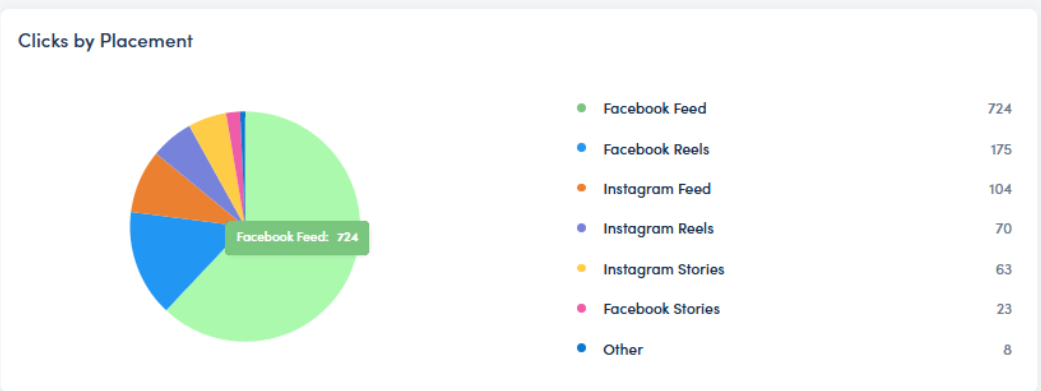
6. Clicks or Conversions by Placement
All ad modules include placement insights to show where clicks or conversions are coming from:
Meta: Clicks by placement (e.g., Stories, Reels, Feed)
Google: Pie charts for clicks vs. conversion value by placement
TikTok: Campaign and ad group drilldowns for placement data
This helps assess how well your creatives are performing on different placements.
Tips for Using Channel Reports Effectively
Star important metrics so they appear in your dashboard and daily/weekly reports
Use filters to focus on specific campaigns, ad groups, or product lines
Compare performance periods to detect growth or decline
Track Top of Page Impressions (Google Ads only) to understand bidding strength
Review placement data to refine targeting or creative assets
 Final Note
Although Meta, Google, and TikTok each have their own tab, the structure and workflow in StoreHero remains consistent. Once you're comfortable using one, you'll be able to confidently navigate and interpret performance across all your channels without starting from scratch each time.