Filter for Tiktok Shop
Last updated: November 4, 2025
To filter for TikTok Shop in StoreHero, you can use the order source filtering feature:
Navigate to the Settings section in the left-hand navigation.
Click on the Connections tab to see your connected sales channels.
Look for the filter icon to the left of the Connect/Disconnect button for your Shopify connection.
Click on the filter icon to open the filter dialog.

For Shopify, you can filter by Order Source — this includes options like POS, online store, and TikTok Shop.

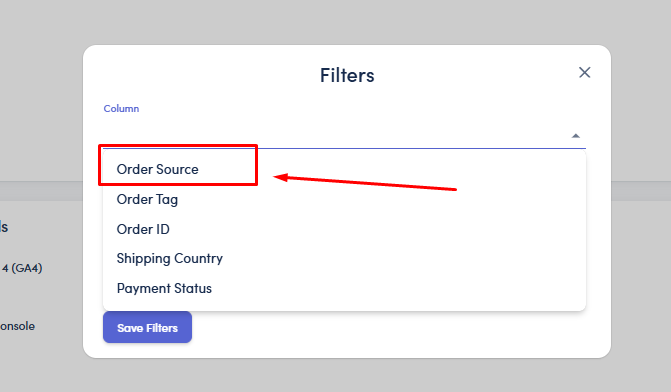
Configure your filter parameters using Contains, Does not contain, or Is equal to (we recommend using Contains for reliability).
Save your filter.
⚙ Note: Applying a new filter will trigger a resync of your sales data.