Linking Your Agency Partner
Last updated: November 4, 2025
If you work with an agency partner and want to give them access to StoreHero, it's simple! Our partner level access allows agencies to manage permissions for their team with minimal work for you.
Granting Access to a Partner
Partner access can be managed via the Store > Team Settings page
In the ‘Linked Partner Account’ section, enter their partner ID. This is a unique string of letters, numbers and dashes. Ask your agency partner for this code if they already have a StoreHero partner account.
Click ‘Link Partner’.
This action allows the partner to manage access for their team members under their own account settings.

Once you enter an ID, you'll be prompted to set permissions for the agency partner.
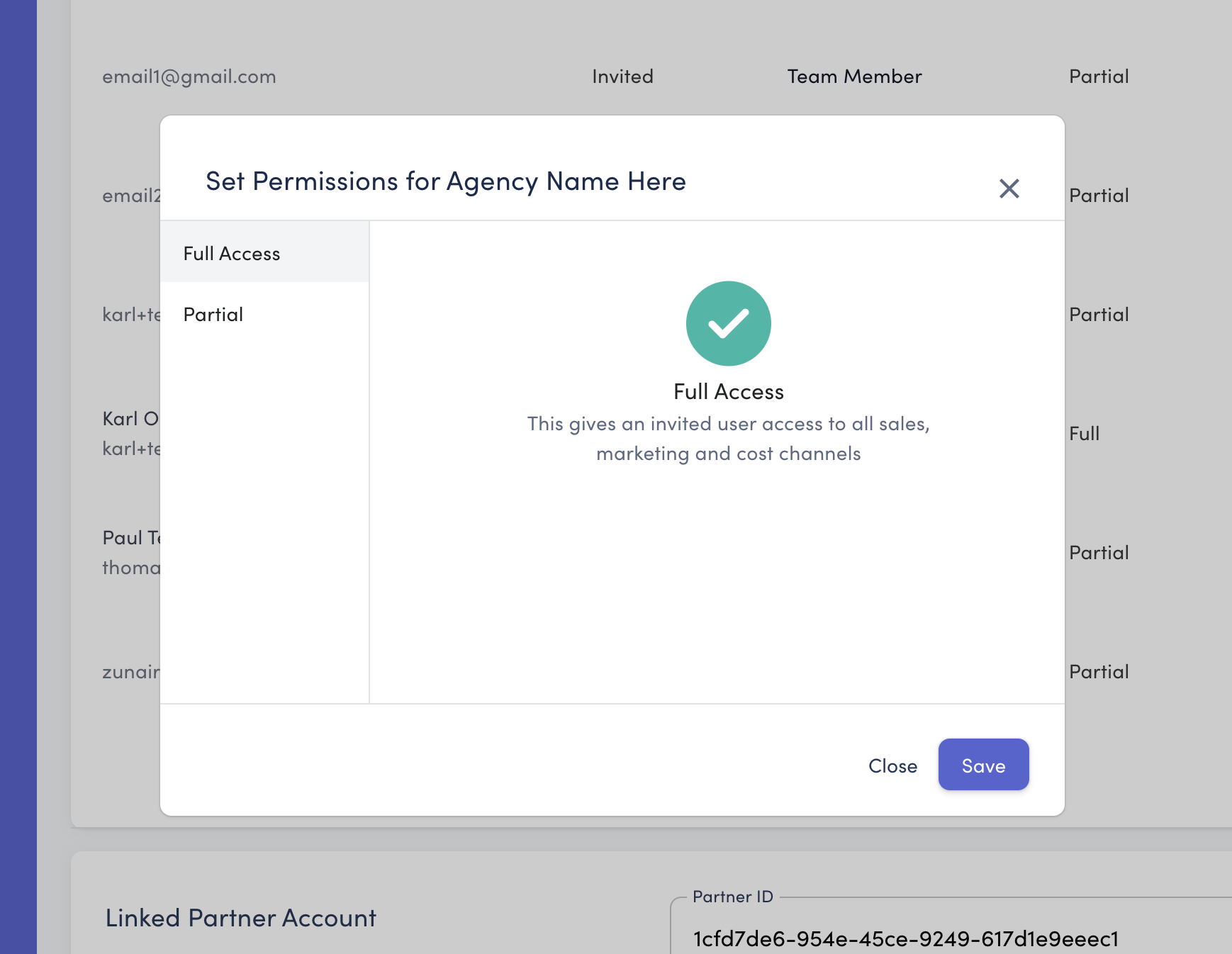
You can choose 2 options:
Full access - This gives an invited user access to all sales, marketing and cost channels. Please note that this will give your agency partner access to potentially sensitive financial information. That being said this greater level of access may be beneficial to help agencies make decisions through the lens of profitability.
Partial - You can select specific pages to show/hide. Please note: all users will get access to the dashboards. The most common use case would involve a store giving access to all except staff costs so as not to show individual salaries.
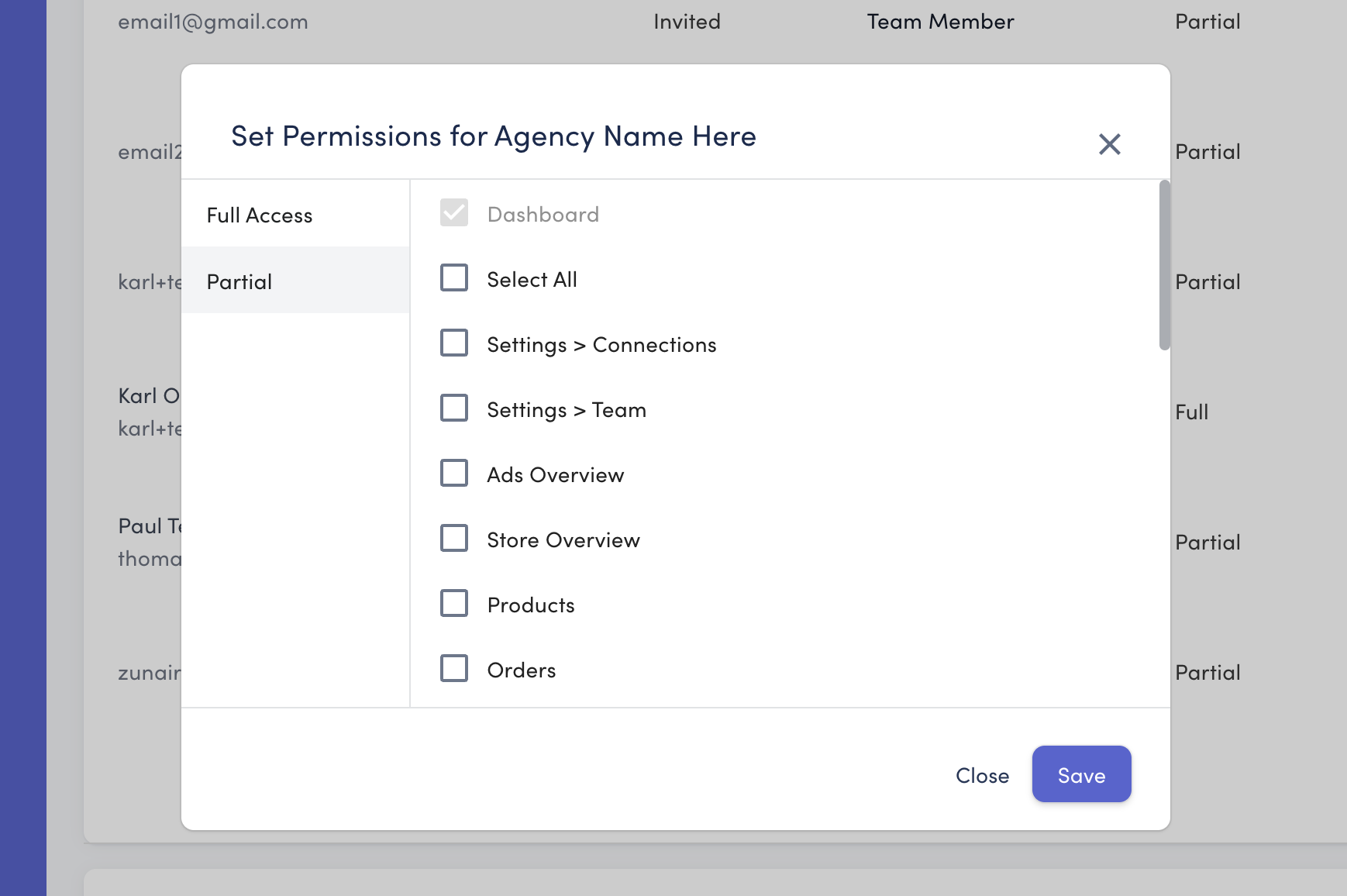
Saving Your Settings
Ensure all changes are saved by clicking the ‘Save’ button after making adjustments. This will ensure all your updates are applied and retained.